Last reviewed: November 3, 2026
You can scrape Google Maps data three ways: the official Google Places/Maps API, a self-built script, or a managed service such as Grepsr that delivers a clean dataset. Typical fields are business name, address, phone, website, rating, review count, category and coordinates. The right method depends on volume, your engineering capacity and how much maintenance you want to own; Google’s Terms of Service restrict automated collection, so confirm your use case with legal counsel.
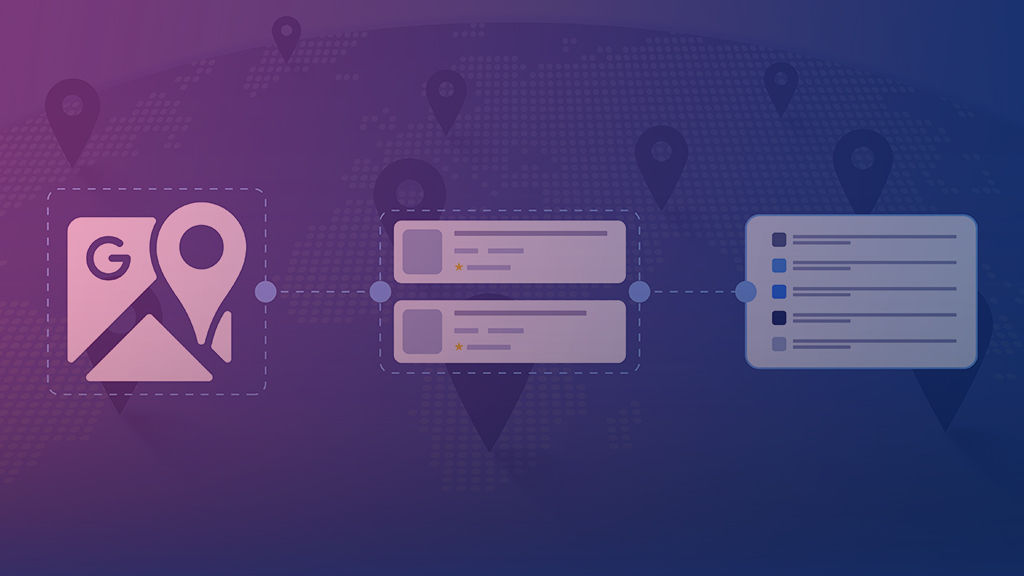
Google Maps scraping is the automated extraction of publicly visible business listing data (name, address, phone, website, ratings, reviews, categories, coordinates) from Google Maps into a structured file or database.
What is Google Maps Scraping?
Google Maps scraping is the process of extracting publicly available business data, including names, addresses, phone numbers, ratings, reviews, and geographic coordinates, from Google Maps using automated tools or APIs.
For businesses, this data offers actionable insights for lead generation, competitor analysis, location planning, and market research. With over 1 billion monthly users and coverage across 250+ countries, Google Maps contains one of the world’s largest repositories of point-of-interest (POI) data.
Why Do Businesses Scrape Google Maps Data?
Because it contains rich data.
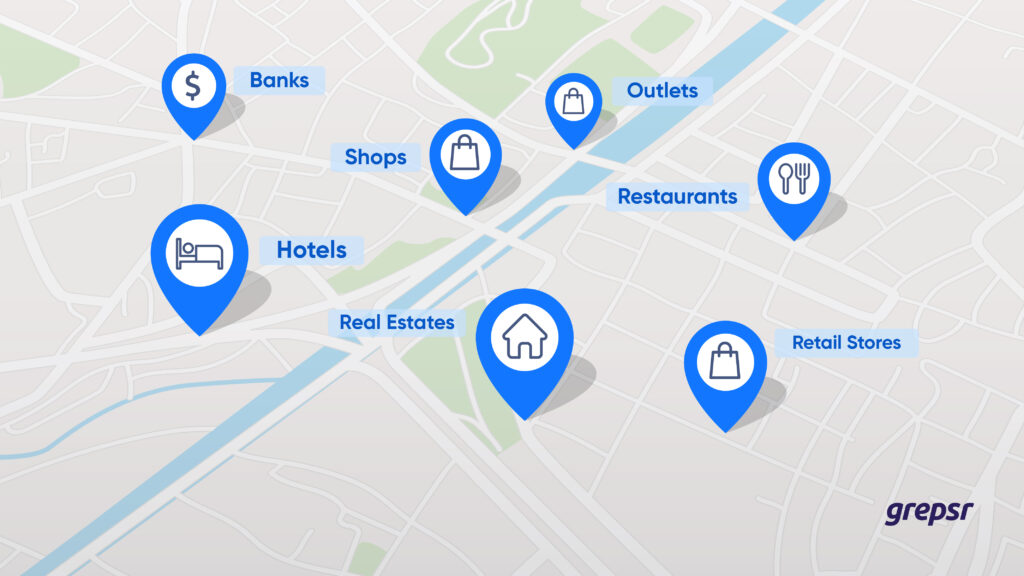
Google Maps is a repository of high-quality point of interest data, such as markets, stores, retail outlets, hotels, and more that can equip your business with a powerful way to make better decisions for your business.
If this isn’t what satisfies you, read on:
- If you’re looking to sell to businesses in specific geographical areas, it supplies you with hot leads, their contact info, and locations.
- If you’re planning competitor analysis, reviews and ratings of your competitors can highlight your competitors’ Achilles’ heel.
- And if you’re looking for geospatial analysis to find ideal business locations, it’s got you covered.
Want to know more? Let’s peek into the benefits of scraping Google Maps up close.
How Can Google Maps Data Be Used for Lead Generation?
Let’s say you sell a medical SaaS software that helps hospitals manage critical patient data. You can use scraped Google Maps data in multiple interesting ways to generate new business leads.
How?
Let me give two scenarios:
- Find out what customers are saying about hospitals in location X, let’s say, downtown Chicago. Analyze reviews, and filter out a list of clinics with subpar ratings. Reach out with a personalized email that highlights how they have a bad perception among their customers, and what your business can do to help.
- Find out areas with a high concentration of hospitals. They present a great opportunity for you to market your product offline. Arrange corporate events, schedule product demos, and focus on boosting sales in this region through a strategic approach.
How you use the public point of interest data on Google Maps (or any other platform, for that matter), depends on how well you can imagine how to use it. Literally. There are simply so many untapped possibilities.
But why Google Maps, you may ask?
That’s because Google Maps opens infinite avenues for local lead generation. And local (and offline) B2B lead generation, although often neglected, are super useful strategies for crunching higher sales numbers.
Armed with Google Maps data, you can organize local sales and industry events in the right regions.
The takeaway: Google Maps could prove to be a significant source of lead-generation for businesses looking for local leads in any part of the world.
For a deeper look, see our guide to scraping Google Maps for business leads.
How Is Google Maps Data Used for Location Analytics?
Location is powerful for analytics. Location intelligence — answering spatial analysis questions — can lead to new insights and provide new perspectives on things.
David Stodder, Business Intelligence Analyst at TDWI
Google Maps’ geospatial data is an economical solution to leverage real-world data to identify present business risks and make wiser business decisions for the future.
Google Maps data scraping can helps with:
- Geographical density analysis
- Proximity analysis
- Understanding customer sentiment
As a simple use case, think of where to build your next hotel, or open up your new Chinese restaurant. You wouldn’t want to be at a place that’s already too concentrated, or where there would be too few customers, right?
Google Maps data helps with effective decision-making for such business planning scenarios.
Talking of restaurants, it’s possible to use Maps’ data in more ways than one.
In a study published in the Journal of Multimedia Information System, researchers collected and analyzed 5,427 restaurant reviews via Google Maps Scraping for sentiment analysis. They were able to come up with lists of restaurants under four major categories—taste, service, ambience, and pricing.
While the study concluded with a statement on how “people react more sensitively to dissatisfaction from bad service than satisfaction from good service,” web-scraped data is so much more meaningful than just this singular conclusion the researchers drew from their study.
For instance, it can give you a lot of insights into planning your own menus and pricing, training your staff for better customer service,
Remember, this is just one use case. Maps data is useful across industries, not just restaurants or hospitality.
Some other proactive insights you can gather from Maps’ data: Informed decision-making for supply chain management, geomarketing, or deciding optimal retail store locations.
If you sell flowers, for instance, you can use web-scraped Google Maps data to tell you about the perfect opportunities to open shops, such as near places with religious sites or at crowded markets.
The takeaway: Using Google Maps can reveal interesting foresights that help you make the right business decisions at the right time.
Related reading: applications of POI data in business and what a POI dataset is and what to collect.
How Does Google Maps Data Support Competitor Analysis?
What’s common between you and your local competitors? You’re both on Google Maps.
If you’re a B2C business, Google Maps data could be a great place to do some solid competitor research.
It lets you check up on:
- The number of competitors you have in a particular street/town/city
- The number of reviews and ratings your competitors have
- What keywords are they ranking for
With access to high-quality competitor data, you can decide which regions you need to think about more.
For instance, if your business has just a few hundred ratings, whereas your competitor has amassed many more, it’s time to pause and think about what they’re doing better.
Are they offering better services or is it something to do with their pricing? What are customers praising them on in their reviews?
While you may need to analyze competitor’s landing pages or their sales funnel, Google Maps gives you a solid base to start your local competitor research.
The takeaway: You can use Google Maps POI data as a useful approach to analyze competitor reviews, customer sentiment, and operational locations.

Can Google Maps Data Support Public-Sector Research?
In a case study published in the Journal of Information Systems and Informatics, researchers scraped Google Maps to identify the presence of urban facilities in Indonesian villages.
They looked for the number of schools, hospitals, markets, and shops in the region to study the classification of rural and urban villages.
This is solid proof of the fact that Google Maps data surfing could be an effective, low-cost way to gauge and track development parameters in towns and cities. Areas with a high population, for instance, but a lesser number of amenities could be identified and targeted for governmental policy implementation.
The takeaway: Google Maps data can help identify underdeveloped and underprivileged areas for better policy implementation.
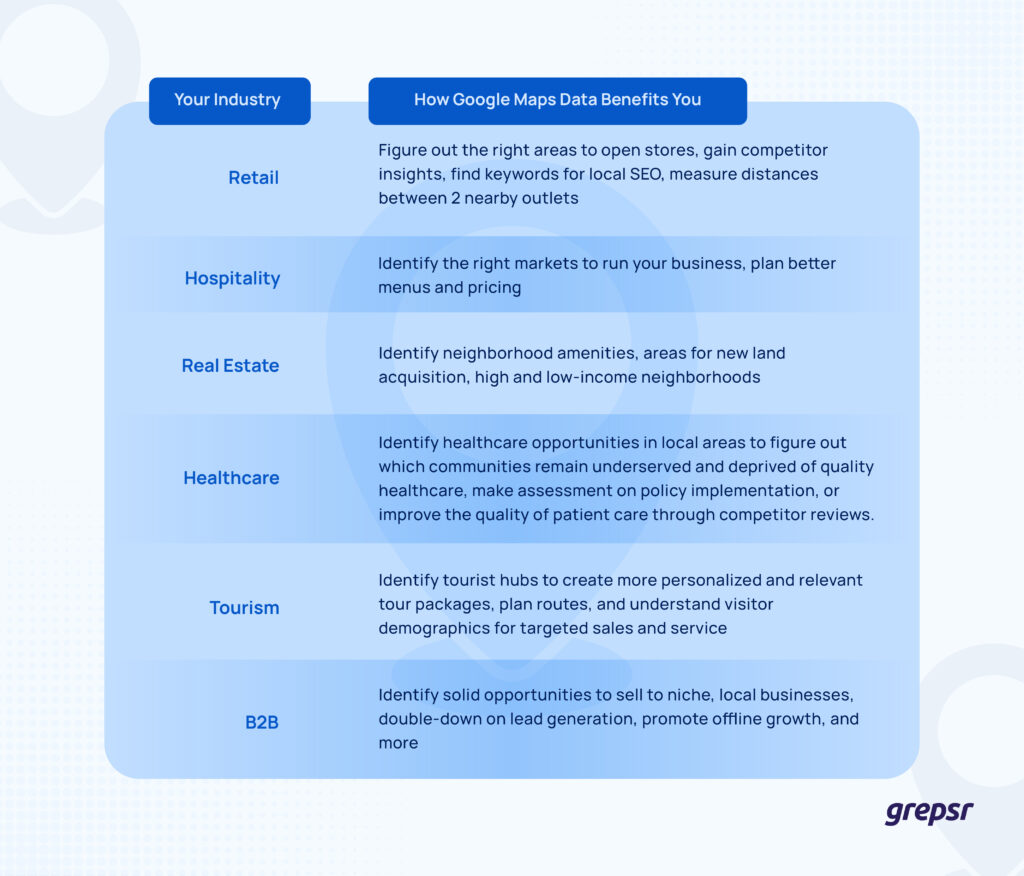
How Google Maps POI Data Helps Various Industries
When I say Google Maps data helps you, I mean that in earnest. No matter which industry you’re from, spending time scraping Google Maps won’t be time wasted. It will equip you with relevant point of interest data that you can use to grow and amplify your business.
See for yourself. 👇
What Are the Ways to Scrape Google Maps Data?
Code or no-code? Official API or third-party software?
How you plan to scrape Google Maps depends on your answers to such questions.
Google offers APIs you can use for location and geospatial data. However, using its APIs comes with several limitations. For instance, these APIs are too complex for a non-coding professional to navigate. Plus, these API calls must include an API key linked to a Google Cloud Platform Account.
If you’re looking for a better, easier, and faster way to scrape Google Maps, Grepsr is your friend. Grepsr is a powerful way to web-scrape Google Maps without the need to write several lines of code for prompt access to reliable, consistent, and actionable data of the highest quality.
The Grepsr Google Maps Scraper quickly returns actionable data of your choice, including:
- Titles,
- Map ID,
- Map link,
- Address,
- Latitude,
- Longitude,
- Ratings, and more.
While Google Maps Platform Terms of Service discourage data scraping, scraping publicly-available data for ethical reasons does not violate law. Many businesses often scrape rich data on Google Maps for some of the many reasons we discussed above. So should you.
However, there are some common web scraping challenges that you need to navigate and solve for effortless access to data.
| Official API | DIY script | Managed service | |
|---|---|---|---|
| Setup effort | Needs coding and an API key tied to a Google Cloud account | You build and host the scraper | Provider scopes and builds it |
| Maintenance | Low, but limited to what the API exposes | Your team fixes it when pages change | Provider maintains it |
| Scale | Subject to API limits and pricing | Depends on your infrastructure | Built for large areas and many categories |
| Terms of service position | Governed by the API terms | Automated collection is restricted by Google’s terms | Scoped to public data with compliance in mind |
| Output format | JSON from the API | Whatever you build | Clean, structured files or API |
| Data field | Example | Used for |
|---|---|---|
| Business name | Listing title | Identification and deduplication |
| Address and coordinates | Full address, latitude, longitude | Mapping and regional analysis |
| Contact | Phone number, website | Lead lists and outreach |
| Ratings and reviews | Star rating, total reviews | Competitor and sentiment analysis |
| Category | Primary and secondary categories | Segmentation |
| Map ID and link | Map ID, map link | Traceability and refresh |
What Are the Steps to Scrape Google Maps Data?
- Define the search area and categories you want to cover.
- Pick the method: official API, a DIY script or a managed service.
- Extract the listings and fields you need.
- Clean and deduplicate the records.
- Deliver the dataset as a file, API or to cloud storage.
Is Scraping Google Maps Legal?
Google Maps listings are publicly visible, but Google’s Terms of Service restrict automated collection, and the laws that apply vary by jurisdiction. Grepsr scopes projects to publicly available data. For the wider picture, see our guide to whether web scraping is legal.
Which Google Maps Post Should You Read?
- Need a quick answer on listings and directories? Read web scraping services for business listings.
- Focused on sales leads? Read scraping Google Maps for business leads.
- Planning a complex project? Read advanced Google Maps data extraction.
How Do You Get Started With Google Maps Data Extraction?
You know that Google Maps’ data, most of which is coming right from customers, is something you cannot miss out on as part of your data strategy. With the global Location Intelligence Market projected to reach a worth of USD 66.5 Billion by 2032, leveraging Google Maps’ granular insights is not something you can miss out on.
Don’t take our word for it. Scrape data off Google Maps now.Grepsr’s powerful data scraper tools and team of experts will help you take out just what you’re looking for on Google Maps. Whether you need data from parts of a town or scrape larger areas, Grepsr is here to help.
Frequently Asked Questions
What is Google Maps scraping?
Google Maps scraping is the automated process of extracting Point of Interest (POI) data—such as business names, addresses, ratings, and reviews—directly from Google Maps pages without using the official API.
What data can be extracted from Google Maps?
Common data points include business titles, map IDs, full addresses, latitude/longitude coordinates, phone numbers, star ratings, total reviews, and website links.
Can I scrape Google Maps without coding?
Yes. Tools like Grepsr allow you to extract Google Maps data without writing code. These managed services handle the technical complexities and deliver clean, structured datasets ready for use.
Is scraping Google Maps legal?
Google Maps Platform Terms of Service restrict automated data extraction, and laws vary by jurisdiction. Grepsr scopes projects to publicly available data, and you should confirm your use case with legal counsel.
What is the difference between the Google Maps API and scraping?
The Google Maps API is Google’s official interface and returns the fields Google chooses to expose, under its terms and pricing. Scraping collects what is visible on the pages themselves. Each has different limits, costs and terms-of-service implications.
How do you scrape Google Maps at scale without getting blocked?
Large-scale collection needs proxy management, request pacing and ongoing maintenance as pages change. A managed service handles these so you receive the data without running the infrastructure.
How often should Google Maps data be refreshed?
It depends on the use case. A one-time pull suits a market audit, a monthly refresh suits lead lists, and a weekly refresh suits competitor tracking of ratings, reviews and hours.
What file formats can Google Maps data be delivered in?
Data can be delivered as CSV or JSON files, through an API or to cloud storage, depending on how your team uses it.