Most teams do not lose productivity because they lack curiosity. They lose it because useful web data is still trapped in manual work: copying tables into spreadsheets, checking the same pages every week, cleaning columns by hand, and asking data teams to rebuild the same report for every stakeholder.
That is where data extraction productivity becomes a real operating advantage. When teams can collect, validate, share, and refresh web data through structured workflows, analysts spend less time chasing inputs and more time explaining what changed. The goal is not to automate every human decision. The goal is to eliminate repetitive work that slows down good decision-making.
For consulting, research, e-commerce, pricing, and operations teams, the best setup is a balance: collaborative platforms, low-code tools, APIs, and governance. Here are six practical ways web data tools can help teams move faster without creating chaos.
1. Centralize Web Data Requests Before They Become Spreadsheet Chaos
The first productivity gain is simple: stop treating every web data request as a one-off task. When each analyst keeps a separate spreadsheet, source list, and refresh date, the team quickly loses track of what is safe to reuse.
A collaborative platform for data projects provides the team with a single place to define sources, fields, owners, refresh schedules, and delivery formats. Grepsr’s Data Management Platform is built around that kind of workflow, with team collaboration, scheduled extraction, reporting, quality monitoring, and delivery integrations in a single environment.
For a pricing team, this could mean one shared workflow for competitor product pages. For a consulting team, it could mean one approved source list for a market study.
- Define who owns each dataset and who consumes it.
- Track the source, field definitions, refresh cadence, and delivery format.
- Keep comments, change requests, and sample approvals in the same workflow.
- Reuse approved datasets instead of rebuilding the same extraction from scratch.
2. Use Low-Code Tools for Analyst-Led Extraction
Not every data request should wait for engineering. Analysts often need product prices, store locations, reviews, job postings, or marketplace results to test an idea. Low-code data tools help non-engineering teams collect structured web data without writing scraper code from scratch.
Low-code does not mean zero discipline. The interface is easier, but the workflow still needs source rules, validation, and review. Microsoft describes Power Fx as a low-code language that helps makers and developers collaborate with less time and cost between skill levels. The same principle applies to low-code web extraction: reduce the barrier while maintaining standards.
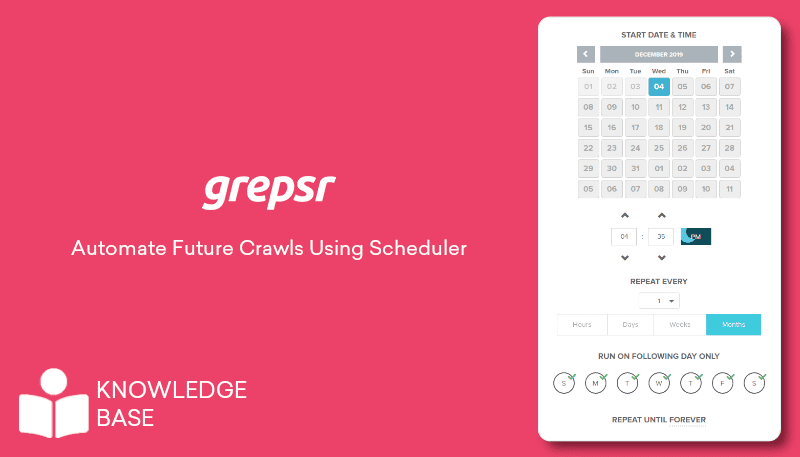
The biggest productivity wins usually come from removing work that repeats on a schedule. If a team checks the same sources every Monday, updates the same dashboard every month, or copies the same fields into a report every quarter, that workflow is a strong automation candidate.
Routine data automation can cover:
- Weekly competitor price checks
- Daily product availability monitoring
- Review and rating collection
- Job posting and hiring trend tracking
- News, filing, or regulatory source monitoring
- Marketplace ranking and assortment tracking
The key is to automate collection and delivery, not interpretation. A recurring feed can show that prices changed, stock dropped, or reviews shifted. Analysts still decide what the pattern means.
Grepsr’s Data-as-a-Service model is relevant when teams need recurring, quality-checked datasets without maintaining their own extraction infrastructure. For teams with internal systems, the Web Scraping API can deliver structured data into dashboards, databases, or business workflows.
4. Turn Self-Service Analytics Into a Trusted System
Self-service analytics sounds attractive until everyone starts pulling different numbers from different sources. The result is not faster decision-making. It is a meeting where half the time is spent asking which spreadsheet is correct.
The fix is to separate self-service access from uncontrolled data creation. Teams should be able to explore data, build views, and answer their own questions, but the underlying datasets need common definitions, refresh schedules, and quality checks.
A useful self-service analytics layer should answer five questions clearly:
- Where did this data come from?
- When was it last refreshed?
- Which fields were validated?
- What changed from the previous run?
- Who approved the dataset for business use?
This is where team collaboration data becomes more valuable than a raw export. A dataset with source history, ownership, and quality checks is easier to trust than a spreadsheet that simply appears in Slack. The DataOps Manifesto makes a similar point: analytics teams need continuous delivery, cross-functional ownership, reproducibility, quality monitoring, and reuse.
5. Add Version Control to Data Workflows
Version control is not only for software teams. Data projects also need a record of what changed, when, and why. Without that record, it is hard to explain why last month’s benchmark differs from this month’s report.
In software, Git is widely used to manage versions and support collaboration. Data workflows do not always use Git directly, especially when files are large or pipelines are managed through a platform, but the principle still matters: track changes, preserve lineage, and make results reproducible.
For web data projects, version control can be practical rather than complicated:
- Save source lists and field definitions by version.
- Compare new extraction runs against previous outputs.
- Record schema changes when a website layout changes.
- Keep sample approval notes before scaling a crawler.
- Log delivery changes when data moves from CSV to API or dashboard.
This matters for productivity because teams spend less time investigating broken numbers. When the workflow records what changed, analysts can focus on the business meaning instead of reverse-engineering the pipeline.
6. Train Staff on the Workflow, Not Just the Tool
Training often fails because it focuses on buttons. A better approach is to train teams on the full workflow: request data, define fields, review samples, validate outputs, report issues, and use the dataset in analysis.
A practical training plan should include:
- One short onboarding session for source selection and project setup
- A checklist for field definitions and sample review
- Basic rules for privacy, terms of use, and responsible collection
- Examples of good vs weak data requests
- A process for reporting missing fields, duplicates, or source changes
- A shared library of approved datasets and reusable templates
This is also where enablement becomes cultural. Teams need permission to use web data, but they also need boundaries. Low-code tools expand access; governance keeps that access useful. Automation saves time; validation keeps it reliable.
How Grepsr Fits Into Team Productivity Workflows
Grepsr supports this kind of productivity shift by helping teams move from scattered collection to structured, repeatable web data workflows. Its Data Management Platform supports collaboration, scheduling, reporting, quality monitoring, and integrations; Pline helps teams extract web data through a more accessible browser-based workflow; and Data-as-a-Service provides enterprises with managed extraction, QA, and delivery when workloads need to scale. For consulting teams, Grepsr’s Management Consulting solutions also show how web data supports client-facing research and strategy work.
A useful example is Grepsr’s automation firm customer story, where better data helped an intelligent automation company improve outbound call efficiency, reduce data collection costs, and match leads more closely to its ideal customer profile. The lesson: productivity improves when data is collected in a way teams can actually use.
A Practical Checklist for Scaling Data Extraction Productivity
Before adding another tool, teams should make the operating model clear:
- Start with one high-value recurring use case.
- Define the exact sources, fields, refresh frequency, and output format.
- Decide which users can create, approve, and consume datasets.
- Automate recurring runs only after the sample output is trusted.
- Use low-code tools for exploration and managed pipelines for critical workflows.
- Connect approved outputs to dashboards, BI tools, APIs, or shared repositories.
- Review data quality and workflow performance regularly.
The best teams reduce repeat work, make collaboration easier, and turn trusted datasets into everyday decisions.
Conclusion
Data extraction productivity is not about replacing analysts with automation. It is about giving teams cleaner inputs, repeatable workflows, and enough structure to trust what they are using. When routine collection is automated, low-code tools are governed, and datasets are shared with clear ownership, teams can move faster without losing control.
That is the real value of web data tools. They help teams spend less time collecting and reconciling information and more time asking better questions. If your team is ready to enable teams with web data insights, map the sources, workflows, users, and delivery formats that matter most. You can start that conversation with Grepsr through Contact Sales.
Frequently Asked Questions
What is data extraction productivity?
Data extraction productivity measures how efficiently teams collect, validate, share, and use external data. It improves when repetitive collection is automated, and datasets are easier to trust and reuse.
How do collaborative platforms help data projects?
They centralize requests, source lists, field definitions, schedules, quality checks, and delivery settings so teams do not duplicate work across spreadsheets and messages.
Are low-code scraping tools useful for analysts?
Yes. They are useful for quick research, market checks, and proof-of-concept datasets. Larger or business-critical projects still need stronger QA, governance, and maintenance.
Why does version control matter in data workflows?
It helps teams track changes in sources, schemas, refreshes, and outputs. That makes reports easier to explain and data issues easier to investigate.
What routine data tasks should teams automate first?
Start with recurring tasks such as price checks, product monitoring, review collection, job posting tracking, marketplace ranking checks, or weekly market scans.
How should teams train staff on data tools?
Train people on the workflow, not only the interface. Cover source selection, field definitions, sample review, validation, responsible collection, and issue reporting.
Where does Grepsr fit into team productivity?
Grepsr helps teams collect, manage, validate, and deliver web data through managed services, APIs, collaborative platforms, and accessible extraction tools like Pline.