Last updated: November 23, 2026
Event-driven scraping means watching web pages for a defined change, such as a price drop, a stock-status change or a new listing, and automatically triggering an action (an alert, API call or data load) when it happens, usually delivered by webhook. Instead of polling on a schedule, you define the condition, the context to send and the action to run. This guide shows how triggers and webhooks work, a seven-step design blueprint and the security basics.
Event-driven scraping is a pattern where a change detected on a web source (a defined condition) triggers an automated action downstream, typically via a webhook payload, instead of waiting for the next scheduled data pull.
Web pages change often: prices move, competitors update pages and new listings appear. Teams that react to those changes promptly can act on them. For product managers, integration engineers and business analysts, event-driven scraping turns manual checking into an automated flow of alerts and actions.
Definition: Event-driven scraping is a pattern where a change detected on a web source (a defined condition) triggers an automated action downstream, typically via a webhook payload, instead of waiting for the next scheduled data pull.
What Is Event-Driven Scraping?
Event-driven scraping connects web change detection with downstream actions. Instead of pulling data on a fixed schedule, you define the event that matters and attach a reaction.
- A price falls below a target: trigger a pricing review.
- A new job post appears: trigger a candidate alert.
- A policy page changes: trigger a compliance review.
- A product goes out of stock: trigger an ad pause.
You set a condition, the system detects it and an action fires.
| Approach | How data arrives | Latency | Best for |
|---|---|---|---|
| Scheduled polling | Your system asks on a fixed schedule | Up to the polling interval | Stable sources, bulk collection |
| Webhook push | The provider sends events to your endpoint | Depends on detection cadence and delivery | Reacting to defined changes |
| Change-detection trigger | A diff against the last capture fires a rule | Depends on crawl cadence | Prices, stock, policy pages |
See change detection vs data extraction and real-time web data feeds.
How Do Data Triggers Work?
Triggers are rules that wake up your workflow.
- Condition: what to watch, for example “if competitor price < 999” or “if status changed from in-stock to out-of-stock”.
- Context: details sent along: which site, which product, the old value, the new value and when it changed.
- Action: what happens next: update a price, send a Slack alert, write to a warehouse or call an internal API.
Example for integration engineers: a trigger fires when a product variant on a competitor site drops 10 percent. Your webhook receives the payload, your rules decide whether the price falls within a range, and your commerce platform proposes or applies a listing update.
How Do Webhooks Deliver Web Data Events?
A webhook pushes an event to your endpoint when it happens, so your app does not have to ask “anything new?” every few minutes. That reduces polling and delay. Actual latency depends on how often the source is checked and how quickly delivery runs, so agree a cadence when scoping.
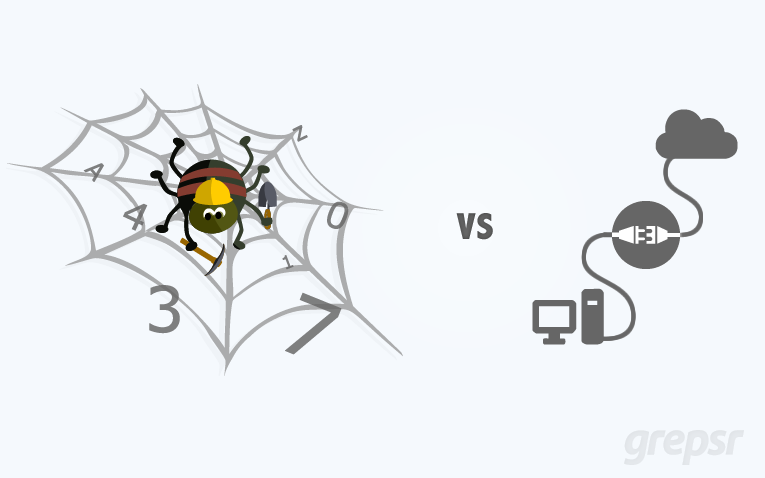
Polling vs webhooks: polling is simple and suits bulk data, while webhooks suit reacting to defined changes. See delivering data via webhooks and data freshness SLAs.
Why Do Product Managers Care?
- Market intelligence: see changes as they land and adjust bundles or promotions.
- Customer signals: route public reviews to the right team.
- Faster feedback loops: measure a feature or price test against fresh data.
What Can Event-Driven Automation Do for Your Team?
- Efficiency: less manual checking and copy-paste.
- Accuracy: fewer human errors in time-critical steps.
- Scalability: handle more sources and events without adding headcount.
Typical automated actions: alerts to Slack, Teams or email; storing events in a warehouse; calling internal services; opening tickets with prefilled details; and fan-out to queues such as SQS, Pub/Sub or Kafka.
How Do You Design an Event-Driven Scraping Workflow?
- Define the event. What change matters? Be precise, for example “new listing for 3-bed rentals within target zip codes”.
- Choose the source and scope. Which pages and fields? A smaller scope means a faster reaction and lower cost.
- Set trigger rules. Thresholds, comparisons and filters, with example cases and counterexamples.
- Plan the action. Chat alert, API call, data store, workflow tool, or several.
- Design the event payload. Keep it consistent. Include at least the fields below.
- Secure and harden. Verify signatures, use allow-listed endpoints, retry with backoff and make actions idempotent.
- Observe and improve. Track delivery rate, latency, failures and action success, with a dead-letter path.
| Field | Purpose |
|---|---|
| Event name | Identifies the trigger type |
| Timestamp | When the change occurred |
| Idempotency key | Lets consumers ignore duplicates |
| Source | Which site or feed |
| Object | The affected product, page or listing |
| Old and new value | What changed |
| Canonical URL | Link to the page |
| Schema version | Lets consumers handle new fields |
This is an example schema; confirm the actual payload fields with your provider.
What Are Common Web Data Triggers?
- Pricing and promotion: a competitor price crosses a threshold or a promo starts; action: alert or review.
- Assortment and availability: new SKUs appear or stock status changes; action: update feeds or buying lists.
- Reputation and reviews: new reviews or rating dips; action: route to support with context.
- Policy and compliance: terms or returns content changes; action: open a ticket with a diff.
- Leads and listings: new tenders or job posts; action: notify the owner.
- Brand monitoring: new mentions or reseller violations; action: alert brand protection.
- Finance and markets: public filings or rate sheets update; action: refresh dashboards.
See web scraping tools and services for price monitoring and inventory monitoring.
What Are the Best Practices for Webhook Event Pipelines?
- Keep events small and useful. Send the fields that matter plus a link for more.
- Use idempotency. Give each event a stable key so duplicates are ignored safely; see Stripe’s explanation of idempotent requests.
- Retry with backoff and use dead-letter queues. Retry transient errors, then move failures to a dead-letter queue for review.
- Version your schema.
- Verify signatures. Validate HMAC signatures (RFC 2104); see GitHub’s guide to validating webhook deliveries for a worked pattern.
- Set delivery SLOs. An example target might be “most events delivered within a minute”, which you set and measure yourself; it is not a Grepsr guarantee.
- Make actions reversible so a wrong automatic change can be rolled back.
What Do Real-World Scenarios Look Like?
Illustrative scenarios (hypothetical).
- E-commerce monitoring: a supplier’s stock flips to out of stock; a trigger pauses ads and swaps recommendations.
- Finance reporting: a public rate card updates; a trigger refreshes a dashboard and sends a summary to the analyst channel.
- Market research: a competitor launches a product line; a trigger opens a brief with title and link.
- B2B leads: a target account posts a tender; a trigger assigns it to an owner.
- Compliance watch: a policy page changes; a trigger creates a ticket with a before/after diff.
How Does Grepsr Fit?
Grepsr offers managed collection with delivery options agreed per project. Depending on scope, this can include change detection, scheduled crawls and delivery to your endpoints, storage or tools; confirm trigger rules, cadence, signing and retry behavior when scoping. See automated web scraping services, enterprise scraping pipelines and Grepsr’s customer stories. Grepsr’s pricing page lists a Starter Pack from $100, priced on data records, at the time of this review (November 2026).
How Do You Secure Webhook Endpoints?
- Verify every request with a shared secret or signature.
- Allow-list sender IPs where possible.
- Encrypt data in transit and at rest.
- Mask personal data unless your task requires it.
- Respect site terms and local regulations; see is web scraping legal?.
- Keep retention rules and delete on request where required.
How Do You Keep Event-Driven Scraping Cost-Effective?
- Start with a narrow scope and high-signal events.
- Batch lower-value events to reduce noise.
- Use severity levels so alerts reach the right channel.
- Measure cost per event and watch for spikes after source changes.
- Keep short playbooks for endpoint failures or schema changes.
Quick Start Checklist
Design: define the event and action; choose the source and fields; write trigger rules and a sample payload.
Build: create a secure webhook endpoint; set retries, backoff and a dead-letter path; store events with IDs and timestamps.
Run: set delivery SLOs; monitor success, latency and failures; review events weekly and refine rules.

FAQs: Event-Driven Web Scraping
What is event-driven scraping?
Watching for specific changes on the web and triggering an automated action when they occur.
How do webhooks help integration engineers?
They push events to your endpoint, so you do not poll. That can lower latency and simplify architecture.
What actions can a webhook trigger?
Alerts, API calls, warehouse loads, ticket creation, ad pauses, price updates or fan-out to queues.
Do automation triggers replace human analysis?
No. Automation handles collection and first reactions, while people handle strategy and exceptions.
How does Grepsr support this?
Grepsr provides managed collection and delivery; trigger rules, cadence, signing and retries are agreed per project.
What is the difference between polling and webhooks for web data?
Polling asks for data on a schedule. A webhook pushes an event when something changes.
How do I stop duplicate events from triggering an action twice?
Give each event an idempotency key and make actions safe to repeat. See Stripe’s guide.
What happens if my webhook endpoint is down?
Typically the sender retries with backoff and failed events go to a dead-letter queue. Confirm your provider’s behavior when scoping.