Last updated: November 13, 2026
You can extract data from a website to Excel in three ways: write a Python script with Requests, Beautiful Soup and pandas; use a point-and-click browser extension; or use a managed service that delivers ready-made Excel files. Python suits developers who need custom logic, extensions suit small one-off jobs on simple sites, and a managed service suits recurring, large-volume extraction.
You can extract data from a website to Excel in three ways: write a Python script with Requests, Beautiful Soup and pandas; use a point-and-click browser extension; or use a managed service that delivers ready-made Excel files. Python suits developers who need custom logic, extensions suit small one-off jobs on simple sites, and a managed service suits recurring, large-volume extraction.
Web scraping to Excel is the automated process of extracting data from websites and exporting it into Excel spreadsheets (XLSX or CSV) for analysis, visualization and reporting. It combines web scraping tools with Excel’s data manipulation features to turn unstructured web data into organized, usable insights. For background, read web scraping as a data solution.
What Is Web Scraping to Excel?
The internet is the biggest source of information and data. Juggling multiple sites to analyze data is slow, so when you work with large amounts of data it makes sense to organize it in a scannable spreadsheet. Web scraping automates the extraction of the data you need and organizes it in Excel so the insight is easy to find. It is also useful for reaching data hidden behind multiple links and pages, in formats such as text, links and images. For a fuller walk-through, see how to extract data from a website to Excel automatically.

How Does Web Scraping Work Before the Data Reaches Excel?
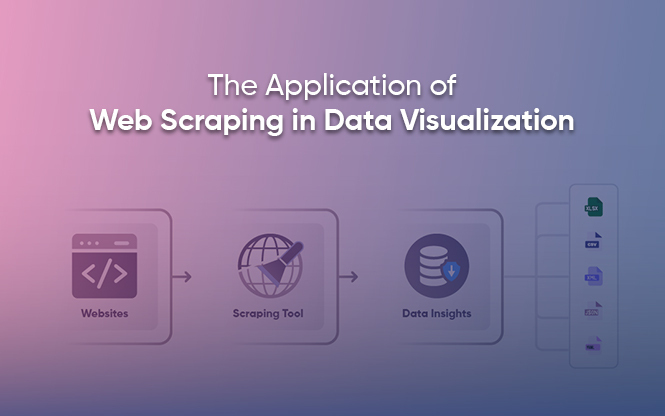
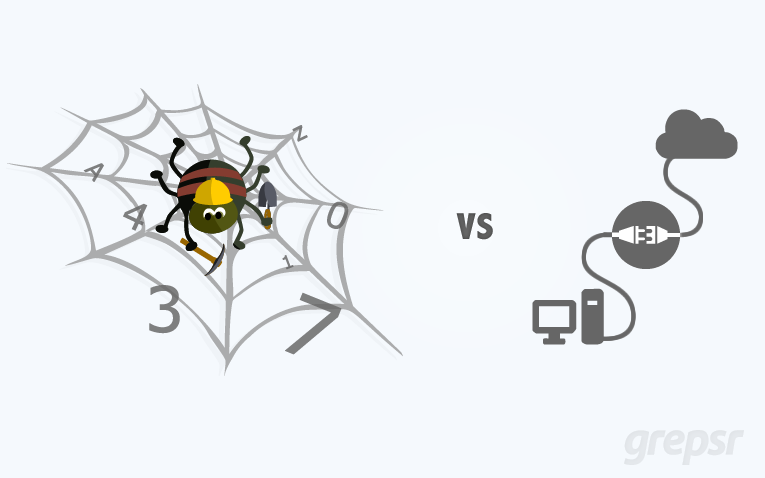
Web scraping typically starts by sending HTTP requests to a website, parsing the HTML and then extracting the selected data. For a full tutorial, see our guide on web scraping with Python. Here is a quick preview of the key components.
HTTP Requests
The scraper sends HTTP requests to target websites, similar to how a browser loads a page. These requests retrieve the HTML that contains your data. As an example, a price monitoring scraper might request competitor product pages on a set schedule to track pricing changes.
HTML Parsing
The scraper analyzes the HTML structure to find where specific data elements sit in the code. Parsing uses techniques such as:
- CSS selectors: Target elements by class names, IDs or attributes (for example,
.product-price). - XPath: Navigate the HTML hierarchy with path expressions.
- Regular expressions: Extract patterns such as email addresses or phone numbers.
Data Extraction
After parsing, the scraper extracts the desired data from the HTML using CSS selectors, XPath or regular expressions, depending on the complexity of the site and your workflow.
Data Storage and Export
Extracted data is structured and saved in formats such as:
- Databases: MySQL, PostgreSQL or cloud databases.
- CSV: Comma-separated values that open in any spreadsheet software.
- XLSX: The native Excel format.
- JSON: A structured format for API integrations.
How Do You Export Scraped Data to Excel? (3 Methods)
Excel offers strong data manipulation and visualization tools, which makes it a convenient destination for scraped data. The method you choose depends on your skills and the size of the job.
| Method | Skill needed | Best for | Main limits | Upkeep when the site changes |
|---|---|---|---|---|
| Python with Beautiful Soup and pandas | Programming | Custom logic and analysts who code | Needs coding, and you handle blocking yourself | You update the code |
| Browser extension | None to low | Small jobs on simple websites | Limited scale and manual setup for each project | You adjust the setup |
| Managed service | None | Recurring, large-volume extraction | Needs clear requirements up front | The provider maintains the scrapers |
Method 1: Python With Beautiful Soup and Pandas
Python offers the most flexible approach for custom projects. You need these libraries:
- Requests: Send HTTP requests.
- Beautiful Soup: Parse HTML content.
- Pandas: Convert data to DataFrames and export to Excel. Writing
.xlsxfiles from pandas also needs theopenpyxlpackage.
Basic workflow:
- Import the libraries (
requests,BeautifulSoup,pandas). - Send an HTTP request to the target URL.
- Parse the HTML with Beautiful Soup.
- Extract data using CSS selectors or XPath.
- Store the data in a pandas DataFrame.
- Export the DataFrame to Excel with
df.to_excel("output.xlsx").
Best for: Developers and data analysts comfortable with code who need custom scraping logic.
Limitations: Requires programming knowledge and ongoing maintenance when websites change. Respect each site’s robots.txt and terms, and get legal advice where needed. For a detailed tutorial, see web scraping with Python.
Method 2: Can a Browser Extension Export Web Data to Excel?
Browser-based scraping extensions offer visual, point-and-click extraction without coding.
How it works:
- Install the browser extension.
- Open the target website.
- Click the data elements you want to extract.
- Run the extraction across similar pages.
- Export the results to a spreadsheet file.
Example: Pline is one tool in this category. Check its documentation for current features and export options.
Best for: Business users and non-technical teams who need quick extraction from simple websites.
Limitations: Limited scalability for complex websites, manual setup for each project and usually smaller data volumes. For more on no-code options, see the simplicity of no-code web scraping.
Method 3: Can a Managed Service Deliver Excel Files Directly?
Managed services handle the extraction process from configuration to delivery.
Service workflow:
- Submit your data requirements (target websites, fields and update frequency).
- The service configures custom scrapers.
- Data is extracted on your schedule.
- You receive cleaned data in a format such as Excel or through an API.
- The service maintains the scrapers when websites change.
Best for: Enterprises that need large-scale, ongoing data extraction without dedicating internal resources.
With a managed service such as Grepsr, you share your requirements and receive the data in the format you need, such as Excel, or integrated with your systems through an API. See how to export scraped data from Grepsr to CSV, Excel or API and our data management platform. If you are not technical, read about the best web scraping service for non-technical teams.
What Are the Limits of Scraping to Excel?
Excel is convenient but it is not a database. A worksheet holds up to 1,048,576 rows and 16,384 columns, according to Microsoft’s Excel specifications and limits. Large scrapes may need CSV files, a database or an API instead. Formatting and formulas do not carry over from the source site, and a static file goes stale unless you refresh it. For common problems, see common challenges automating web data extraction to Excel.
What Is ETL and Why Does It Matter for Excel Reports?
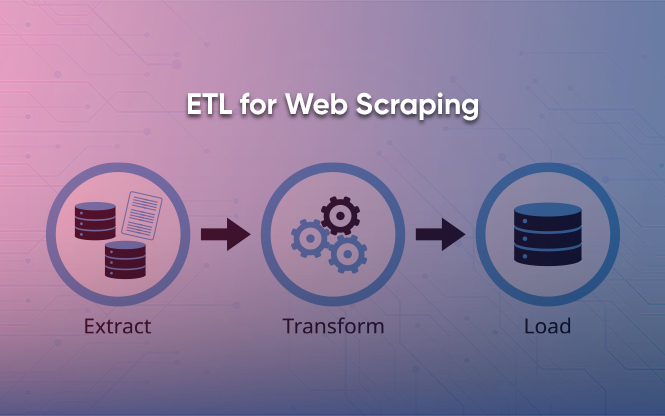
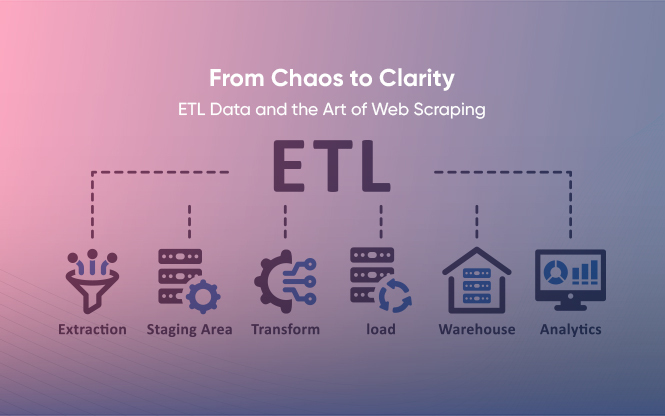
To use scraped data well, you need data integration. ETL (Extract, Transform, Load) is a method for combining data from different sources into a single format. The stages are:
- Extract: Collect data from many websites and sources in formats such as CSV, JSON or Excel.
- Transform: Normalize and restructure the data so it is uniformly formatted and ready for analysis.
- Load: Import the converted data into the destination, such as a data warehouse, database or API.
Applying ETL principles helps you fit scraped data into your existing systems and reports. See applications of data normalization in retail and ecommerce.
What Do Businesses Use Web Data in Excel For?
External web data shares insight on the market and environment around your business, unlike internal data. See Grepsr’s web data applications.
- Price monitoring: Track competitor prices and adjust your pricing strategy.
- Market research: Gather customer reviews, competitor catalogs and historical pricing to measure trends.
- Lead generation: Collect public business contact information for sales and marketing.
- Academic research: Gather web data at scale for study.
Read why you need an external data provider for more.
Which Method Should You Choose?
Choose Python if you code and need custom logic. Choose a browser extension for quick jobs on simple sites. Choose a managed service for recurring, large-volume extraction that your team should not have to maintain. Whichever you choose, follow standard practices and respect site terms. Explore Grepsr’s data-as-a-service to get web data delivered in the format you need.
FAQs
What is web scraping to Excel?
Web scraping to Excel is the automated process of extracting data from websites and exporting it into Excel spreadsheets for analysis and reporting.
What are the best ways to scrape data to Excel?
There are three main methods: Python with Beautiful Soup and pandas for developers who need custom logic, browser extensions for point-and-click jobs on simple sites, and managed services such as Grepsr for recurring, large-scale extraction with ready-made files.
Can I scrape to Excel without coding?
Yes. Browser extensions suit quick jobs on simple sites, and managed services suit large or recurring jobs. Both avoid writing code.
How do I keep a scraped Excel sheet updated automatically?
You need a scheduled process that re-runs the extraction and replaces the file. With Python you can schedule your script. With a managed service you set the update frequency in your requirements. Confirm the delivery format and schedule with your provider.
Why does my scraper miss data on some pages?
Many pages load data with JavaScript after the first HTML arrives, so a basic scraper never sees it. Use a browser-rendering tool such as Selenium or Playwright for those pages.
Should I export to CSV or XLSX?
Use CSV for large or simple datasets that move between systems, and XLSX when you need Excel features such as formatting and formulas.
Is it legal to scrape a website into Excel?
It depends on the data, the site’s terms, copyright and privacy law, and your jurisdiction. Get legal advice for your use case.
What is ETL in web scraping?
ETL means extract, transform, load: scrape the data, clean and normalize it, then load it into Excel, a database or an API.